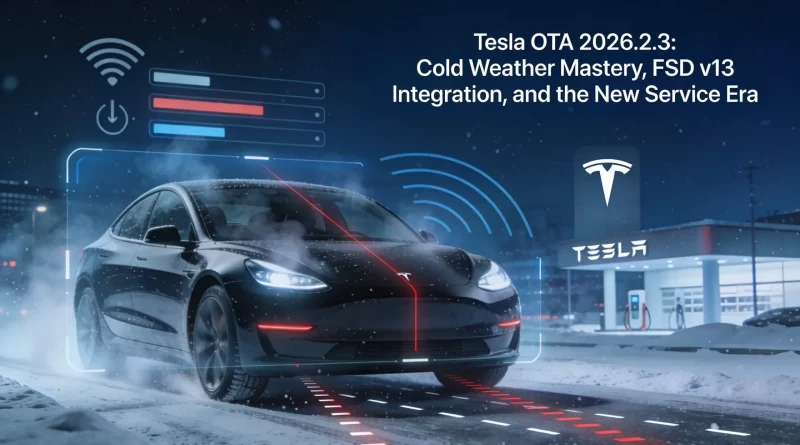
Tesla OTA 2026.2.3: Cold Weather Mastery, FSD v13 Integration, and the New Service Era
Date: February 13, 2026
The Tesla over-the-air (OTA) ecosystem continues to set the industry standard for software-defined vehicles. While 2025 ended with a flurry of holiday entertainment features, the first major branch of 2026—Update 2026.2.3—signals a pivot back to core functionality, reliability, and advanced diagnostics.
Currently rolling out to approximately 35-40% of the North American fleet, this update addresses specific pain points identified during the harsh winter of late 2025 while laying the groundwork for the next generation of autonomy. From a clever new way to unlatch frozen charge cables to deep-dive diagnostics for the latest Full Self-Driving (FSD) hardware, here is everything you need to know about Tesla’s latest software drop.
Core Feature: The 3-Second Charge Cable Unlatch
One of the most practical additions in 2026.2.3 is a direct response to winter charging frustrations. Tesla has introduced a hardware-agnostic gesture to manually release the charge cable, bypassing potential software glitches or frozen capacitive buttons.
How It Works
By pulling and holding the rear-left door handle for 3 seconds, the vehicle will now:
- Terminate the active charging session immediately.
- Unlock the charge port latch solenoid.
- Allow for safe removal of the cable.
Note: This feature requires the vehicle to be unlocked or a recognized phone key/fob to be within proximity.
Why It Matters
This update is a game-changer for owners using third-party adapters (CCS1 or J1772) which often lack a native communication button to stop charging. It also provides a mechanical backup for Supercharger handles that may become unresponsive in extreme cold (-10°C or lower), a scenario that generated a spike in service tickets during the 2025 winter vortex.
Maximize Your Home Charging
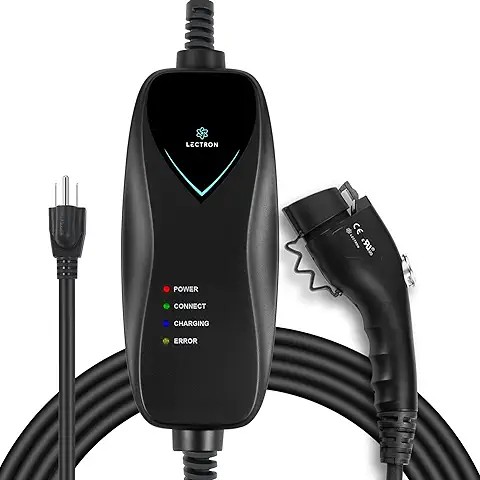
While OTA updates improve the public charging experience, a robust home setup is your daily driver. The Lectron Level 1 Charger offers a reliable backup for any NEMA 5-15 outlet.
Service Mode Expansion: The “Right to Repair” Win
Tesla continues to empower advanced users and independent technicians with the expanded ECU Update Status panel within Service Mode.
Previously limited to powertrain and thermal systems, the panel now visualizes firmware health for non-CAN (Controller Area Network) modules. This includes crucial components for autonomy and connectivity:
- Autopilot Processors (HW3/HW4): Users can now verify if the specific neural net weights for FSD v13 have successfully downloaded and synced.
- Telematics Control Unit (TCU): Diagnoses connectivity issues that often prevent remote app access.
- Gateway Modules: Monitors the central data hub of the vehicle.
For DIYers, this transparency cuts down on “guesswork” service appointments. If an update is stuck at 50%, the panel will now identify exactly which module is failing to handshake, allowing for a targeted “software reinstall” request via the app rather than a physical tow.
Safety: Child Presence Detection Expands to North America
Following a successful mandated rollout in the EU in 2025, Tesla is bringing its camera-based Child Presence Detection to North American markets in 2026.2.3.
Unlike simple weight sensors used by competitors, Tesla utilizes the cabin camera’s AI vision to detect a child left behind in a parked vehicle. If detected, the vehicle initiates an escalation ladder:
- Immediate: Push notification to the driver’s phone.
- 30 Seconds: Flash hazard lights.
- 60 Seconds: Sound the horn and activate max A/C (Cabin Overheat Protection).
This feature processes data locally on the car’s MCU, preserving privacy while offering a critical safety net against vehicular heatstroke.
Navigation & Supercharger Updates
The navigation stack sees subtle but impactful polish in this release. Supercharger maps in Europe have been upgraded to include 3D stall rendering (requires Ryzen MCU). This allows drivers to see specific stall availability, including pull-through capability for trailers and handicapped-accessible spots, directly on the dashboard before arrival.
Additionally, map data versioning has been simplified. Instead of cryptic build numbers, maps are now labeled clearly (e.g., “NA-2026.1-Release”), making it easier for owners to verify they have the latest road data.
Protect Your Interior
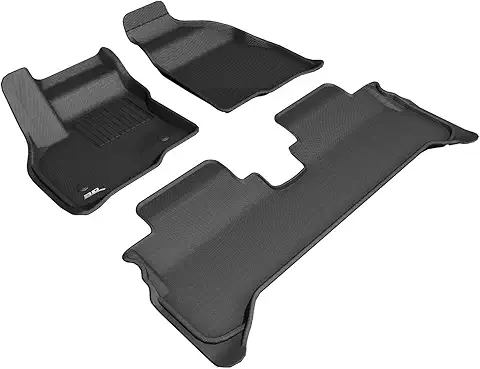
Winter updates mean winter weather. Keep your carpets pristine with 3D MAXpider All-Weather Floor Mats, custom-fit for maximum coverage.
Hidden Gems & FSD Implications
While not highlighted in the primary release notes, deep-divers have found several “hidden” improvements in the 2026.2.3 code:
- HW3 Shadow Mode: The update unlocks deeper “Trip Weight” analysis for Hardware 3 vehicles, allowing Tesla to gather higher-fidelity data for training the v13 neural nets on older cars.
- Battery Recalibration: An automated background process now performs minor cell balancing after deep discharge events, often restoring 5-8 miles of “lost” displayed range on high-mileage packs.
- Matrix Headlights: Improved glare reduction for 2024+ Highland Model 3 and Juniper Model Y vehicles, specifically tuning the beam forming for wet road conditions.
Rollout Status and Model Compatibility
As of mid-February 2026, the update is available for the following configurations:
| Model | Compatibility | Key Limitation |
|---|---|---|
| Model 3/Y (Intel Atom) | Full Support | No 3D Parking Visuals |
| Model 3/Y (AMD Ryzen) | Full Support | None |
| Model S/X (2021+) | Full Support | Rear Screen features dependent on MCU3 |
| Cybertruck | Full Support | Includes suspension logging beta |
To check for the update, ensure your vehicle is connected to Wi-Fi. The package size is approximately 2GB and requires roughly 30-45 minutes to install.
Conclusion
Update 2026.2.3 may lack the flash of a Holiday Update, but its focus on usability makes it one of the most important quality-of-life releases in recent memory. By addressing the physical realities of EV ownership—frozen cables, safety, and self-repair—Tesla continues to prove that the software experience is just as vital as the hardware.
Stay Connected
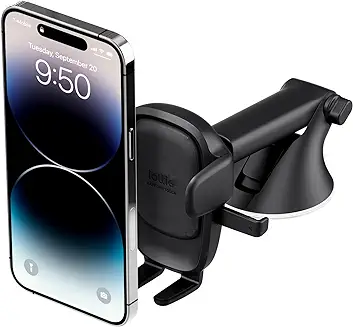
Ensure your phone key works every time by keeping your device mounted and charged. The iOttie Easy One Touch 5 is the gold standard for dashboard mounts.