The “Ghost Car” Phenomenon: How to Stop Your Vehicle From Spying on You
TL;DR: The Privacy Crisis
- The Reality: In 2026, 95% of new cars collect data on your braking, acceleration, and location.
- The Risk: This data is sold to data brokers (LexisNexis) and then to insurance companies, raising your rates.
- The Solution: You can opt-out of “Consumer Data Collection” in the app settings, but it’s hidden deep in menus.
- The Hard Core Fix: Faraday bags for keys and disconnecting the cellular modem (TCU) are the only ways to go truly “Ghost.”
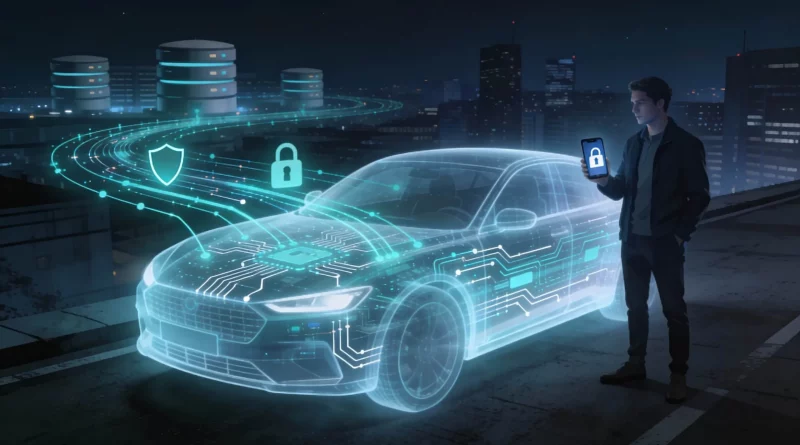
You bought the car, but you don’t own the data. In 2026, the modern automobile is a smartphone on wheels, and just like your phone, it is constantly phoning home. It knows where you sleep, where you work, how fast you drive, and how hard you brake.
The “Ghost Car” phenomenon is a rising trend where privacy-conscious drivers are taking drastic steps to disconnect their vehicles from the grid. This isn’t just paranoia; it’s financial self-defense. Insurance premiums in 2026 are increasingly based on “Telematics” data harvested directly from your vehicle’s ECU. If you brake too hard on your way to work, your premium goes up next month. Here is how to reclaim your privacy.
Table of Contents
Step 1: The Settings Menu Audit
Before you start cutting wires, check the software. In 2025, the FCC mandated that car manufacturers must provide an “Opt-Out” for data sharing, but they make it hard to find.
The Hidden Menu: In a Tesla Model 3 or Ford Mustang Mach-E, look under “Privacy” or “Data & Connectivity.” You will see checkboxes for “Product Improvement” and “Third-Party Partners.” Uncheck ALL of them. If you leave “Insurance Connect” on, you are consenting to be monitored.
Step 2: The Hardware Disconnect (TCU)
For the truly paranoid (or those with older cars where software opt-outs are vague), the physical disconnect is the only guarantee. Every modern car has a Telematics Control Unit (TCU) which contains the 5G modem.
The Fix: On many cars (like the Subaru Outback), you can pull the fuse for the TCU. Note: This will disable remote start, SOS emergency calling, and navigation updates. It turns your smart car into a “dumb” car, but it stops the tracking instantly.
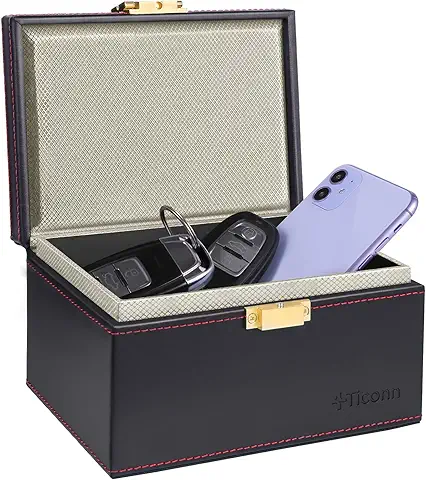
Step 3: Phone Isolation
Even if you disconnect the car, your phone will rat you out. When you connect via Bluetooth or CarPlay, your phone syncs your contacts and location history to the infotainment system.
The Fix: Use a wired connection strictly for charging (with a “Data Blocker” USB adapter) or use a separate “Burner” profile on your infotainment system that doesn’t sync contacts. Never click “Sync Contacts” on a rental car.

How to Wipe Data Before Selling
When you sell your car in 2026, you are selling your digital identity. A factory reset in the settings menu often isn’t enough (it just deletes the pointers, not the data). You must manually delete your Garage Door codes, delete your “Home” address from Nav, and unlink your phone from the car’s Bluetooth list before hitting reset.