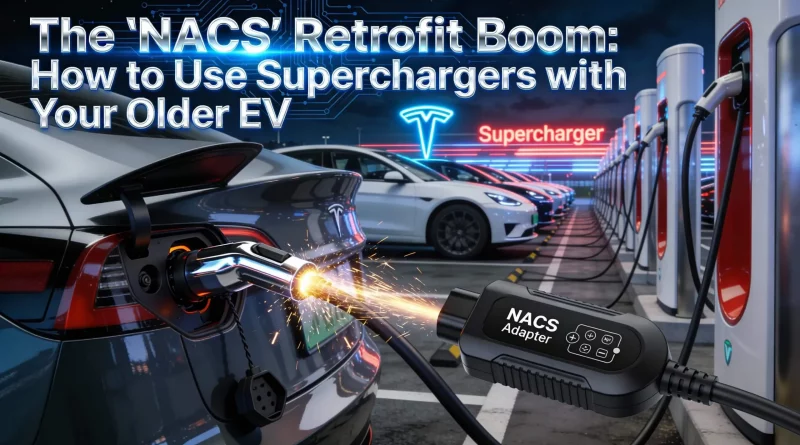
The “NACS” Retrofit Boom: How to Use Superchargers with Your Older EV
The Adapter Reality
- The Standard: 2026 models have NACS native ports. 2025 and older have CCS ports.
- The Fix: You need a “NACS to CCS1” adapter. This is different from the “Tesla Tap” used for Level 2 charging.
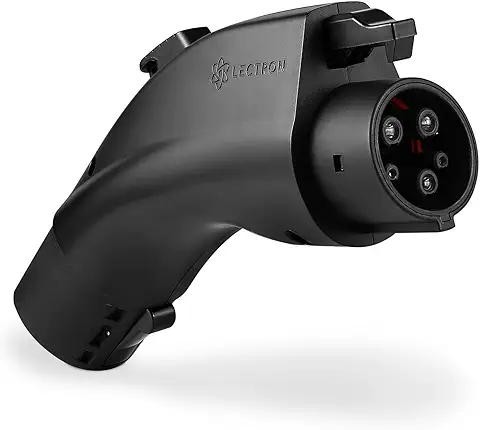
- The Players: Official OEM adapters (from Ford/Rivian) are safest, but aftermarket options from Lectron and A2Z are popular due to shortages.
- Safety: Never use a cheap, uncertified adapter for DC Fast Charging. 500 amps can melt plastic instantly.
The charging war is over, and NACS (the North American Charging Standard) won. Almost every 2026 model year EV now ships with the slim Tesla-style port. But what if you own a 2023 Rivian R1T or a 2024 Ford Mustang Mach-E? You aren’t obsolete, but you do need a dongle.
Google searches for “CCS to NACS adapter” have exploded in 2026 as the Supercharger network opens up to everyone. This article guides you through the retrofit boom: what to buy, what to avoid, and how to charge safely without melting your port. The adapter market is the “Wild West” right now, so caution is advised.
Table of Contents
OEM vs. Aftermarket: The Warranty Debate
Ford and Rivian promised free adapters to early owners, but supply chains in 2026 are still catching up with demand. This has led many to buy aftermarket.
- OEM Adapters: Manufactured by Tesla or reputable Tier 1 suppliers. They are bulky but robust. Using one guarantees your vehicle warranty stays intact. If you can wait, get this one.
- Aftermarket (Lectron / A2Z): These companies beat the OEMs to market. Their 2026 versions are UL-certified and often more compact. However, check your car’s manual—some manufacturers threaten to void warranties if non-OEM charging equipment causes damage. If you must go aftermarket, ensure it has a thermal shutoff sensor.
How to Initiate a Charge in 2026
It’s not quite “Plug and Play” for older cars yet. The protocol is standard, but the procedure requires specific steps:
- Open the App: You usually need the Tesla app (or your car’s native app if Plug & Charge is set up).
- Select Stall: Tell the app which stall you are at (e.g., 2A or 4B).
- Attach Adapter: Connect the NACS adapter to the Supercharger cable first. Ensure it clicks loudly.
- Plug In: Plug the whole assembly into your car. Wait for the handshake (can take 30 seconds).
Thermal Management and Locking Pins
Safety is critical when pushing 200kW through an adapter. Quality 2026 adapters have internal temperature sensors. If the adapter gets too hot (common in Arizona summers), it tells the Supercharger to derate the speed. Cheap adapters lack this communication pin and can melt to your car’s inlet.
Also, look for a mechanical locking pin. This prevents someone from unplugging the NACS cable from the adapter while leaving the adapter stuck in your car (and potentially live). The A2Z Typhoon Pro features a robust slide-lock mechanism for this exact reason.